Foldgami: Origami
Fold paper, step by step
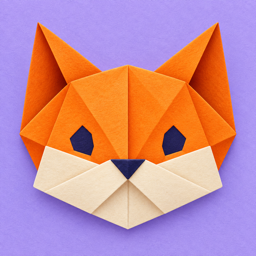
Foldgami teaches origami one fold at a time: 48 models across 6 lessons, each ending with a little painting touch. On foldable iPhones the fold line sits on the hinge, so bending your phone folds the paper with you. On other iPhones you simply drag to fold.
Contact
Questions, bugs or ideas? Email us at [email protected]. We usually reply within a few days.
Questions, bugs or ideas? Email us at [email protected]. We usually reply within a few days.
Frequently asked questions
How do I fold?
Drag the right side of the screen toward the left. The paper folds along the dashed line. On a foldable iPhone, gently bend the phone, then open it again.
Drag the right side of the screen toward the left. The paper folds along the dashed line. On a foldable iPhone, gently bend the phone, then open it again.
How do I unlock the next lesson?
Finish every model in the current lesson. Models inside a lesson unlock one by one.
Finish every model in the current lesson. Models inside a lesson unlock one by one.
How do I earn 3 stars?
Finish without using undo, and complete the final painting step.
Finish without using undo, and complete the final painting step.
How do I change the language?
Open Settings (gear icon on the home screen) → Language.
Open Settings (gear icon on the home screen) → Language.
Can I start over?
Settings → Reset progress. Your progress is stored only on your device, so deleting the app also deletes it.
Settings → Reset progress. Your progress is stored only on your device, so deleting the app also deletes it.
Türkçe
Soru, hata bildirimi veya önerileriniz için: [email protected]. Katlamak için ekranın sağ tarafını sola sürükleyin; katlanabilir iPhone'larda telefonu hafifçe büküp tekrar açın. Bir dersin tüm modellerini bitirince sonraki ders açılır. Dil: Ayarlar → Dil.
© 2026 Foldgami